How to fix a weird pandas and pyarrow issue with BirdNetPi
Summary: If you get Python crashing immediately in BirdNetPi, try uninstalling the pyarrow Python package.
I’ve got a BirdNetPi set up at home. This is a bit of software that runs on a Raspberry Pi and listens on a microphone (I’ve mounted mine on the outside of an upstairs window, using a 3D printed mount/cover to protect it from the rain) for bird noises. It then classifies them using a machine learning model and tells you what birds it’s heard. It has a nice web interface which shows graphs like this:
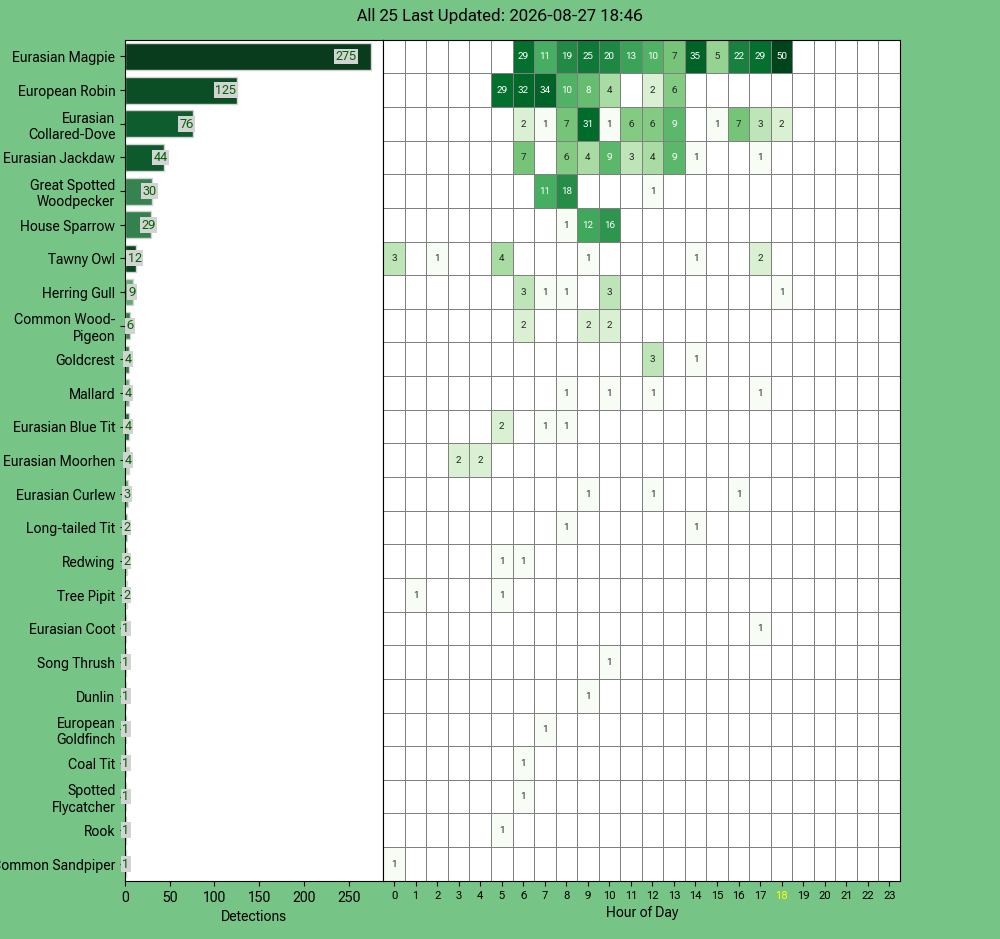
as well as allowing you to listen to the recordings, correct errors, do more detailed statistics etc.
When I first installed it, I had some problems. One of the big ones, in fact, was that the graph above wasn’t present on the homepage (I didn’t actually know there should be a graph there, so it took me a while to realise it was missing) and when loading the detailed Species Stats page I just got a message from Streamlit saying "Connecting…".
Investigating this in more depth, I found that a lot (but not all) of the Python scripts involved in creating the visualisations crashed as soon as you started them, giving an ‘Illegal instruction’ error. This is a remarkably low-level error to get from Python, and suggested something was going wrong with a package that had some sort of native (C/C++) extension.
My first guess was that it was something to do with pandas, so I tried uninstalling and reinstalling pandas – but that didn’t fix it. I installed pandas in a new virtual environment and I could import it fine – so it wasn’t pandas itself that was causing the problem.
Then I realised I could use part of Python’s profiling tools to help narrow down what import was the problem. I ran birdnet/bin/python -X importtime -c 'import pandas', which uses the BirdNet Python interpreter to run import pandas while printing out timing information about how long each import took. This should allow me to see what package was imported just before the crash – and it did. The output looked like this:
import time:      1623 |      10550 |     pandas.compat.numpy
import time:       309 |        309 |         gc
import time:      1121 |       1121 |         pyarrow._generated_version
The most recently imported package at the time of the crash was pyarrow – a Python interface for the arrow file format. I believe it was originally installed as an optional dependency of pandas. I confirmed this was the problem by running import pyarrow in the BirdNet Python interpreter, and it immediately crashed.
This narrowed down the problem, but I wasn’t sure how I’d get the correct version of pyarrow installed. However, before doing that, I thought I’d try and see whether BirdNetPi actually used pyarrow anywhere. Searching through the git repo for arrow found no uses of it, so I thought it was worth trying uninstalling the package entirely.
This solved the problem straight away – and I haven’t found anything in BirdNetPi that has broken as a result of it.
If you found this post useful, please consider buying me a coffee.
This post originally appeared on Robin's Blog.
Categorised as: How To, Programming, Python
Leave a Reply